
Calendar & session scheduling
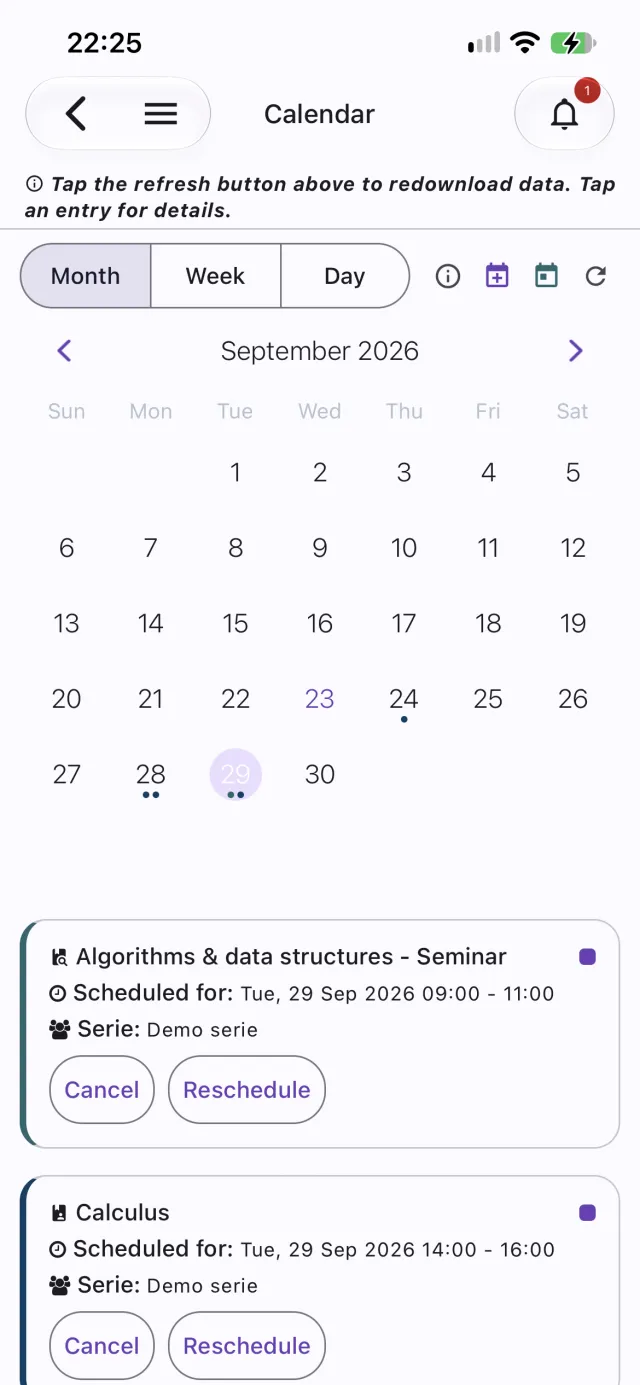
Attendance starts before the tap. Give each course, seminar, or laboratory a recurring schedule and My NFC Attendance keeps a calendar for you — and for your students — showing what’s coming up, what happened, and what changed.
Recurring schedules, set once
Choose weekly, every two weeks, monthly, daily, or a one-off date, a start and end time, and the period it runs. Attach it to a whole serie or a single group — and pause or delete it any time.
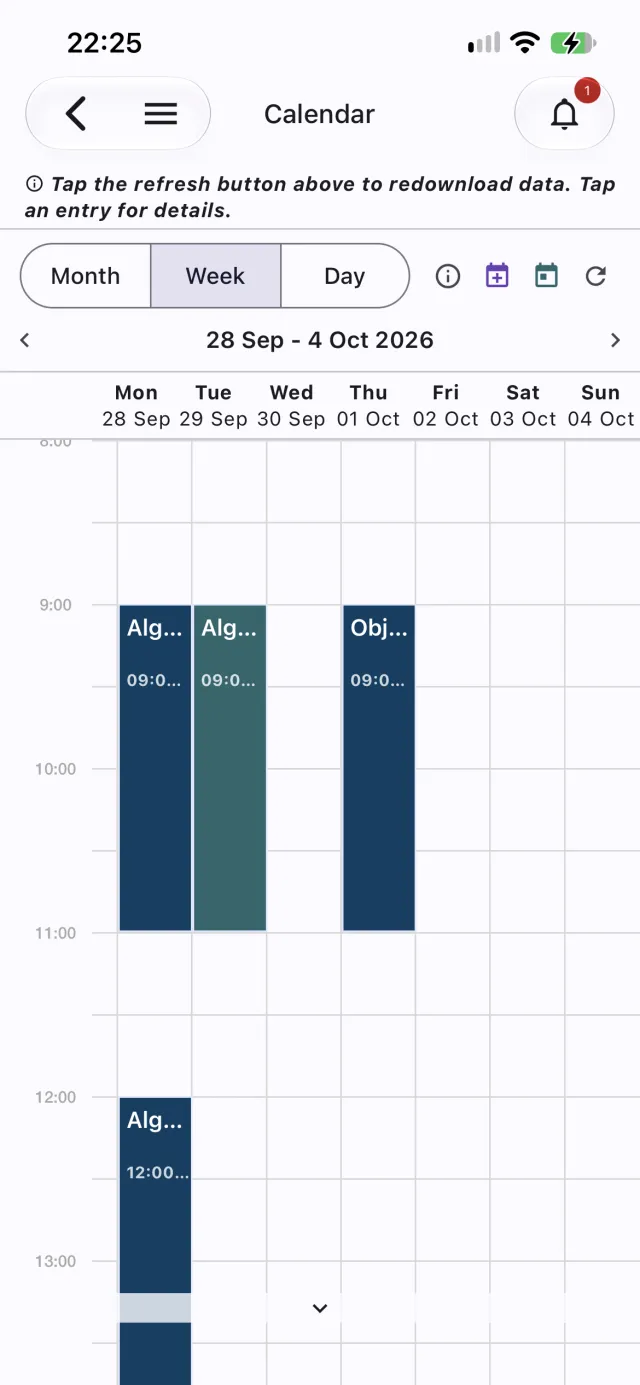
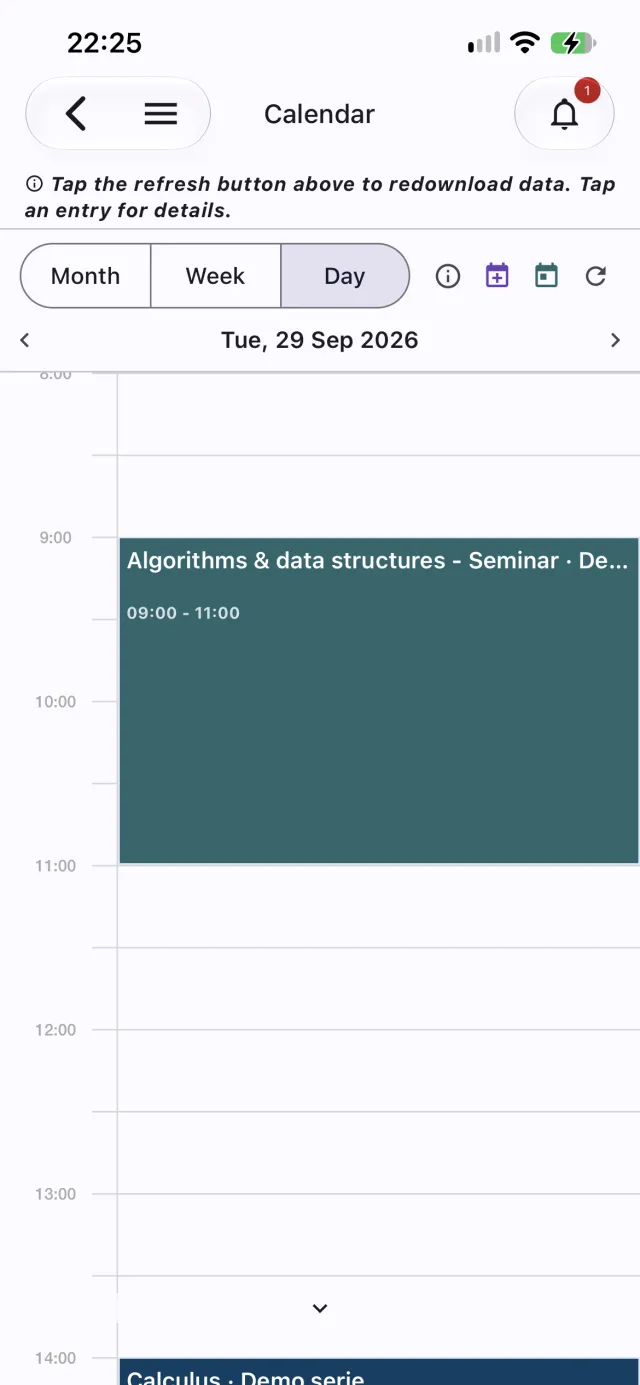
Month, week, and day views
Switch between a month grid and an hour-by-hour week or day timeline. Sessions are colour-coded for course, seminar, and laboratory, with a clear status: upcoming, completed, missed, rescheduled, or cancelled.
Cancel or move a single date
A holiday or a room change affects one occurrence, not the whole series. Cancel or reschedule just that date, and undo it later if plans change — students see the update.
Conflict warnings
Before a schedule is saved it’s checked for clashes with the same teacher, serie, or group. You get a warning listing what overlaps, and you decide whether to go ahead.
On every device
The calendar is in both the native app and the web app, and students get their own view of the sessions that apply to them. It’s kept on the device after the first load, so opening it is instant. On mobile, long-press the calendar to add a schedule; in the browser, click an empty spot on the timeline. A subject’s recurring schedule can also be managed from its Manage course screen.
See how reminders work